A small light
for reading in
another tongue.
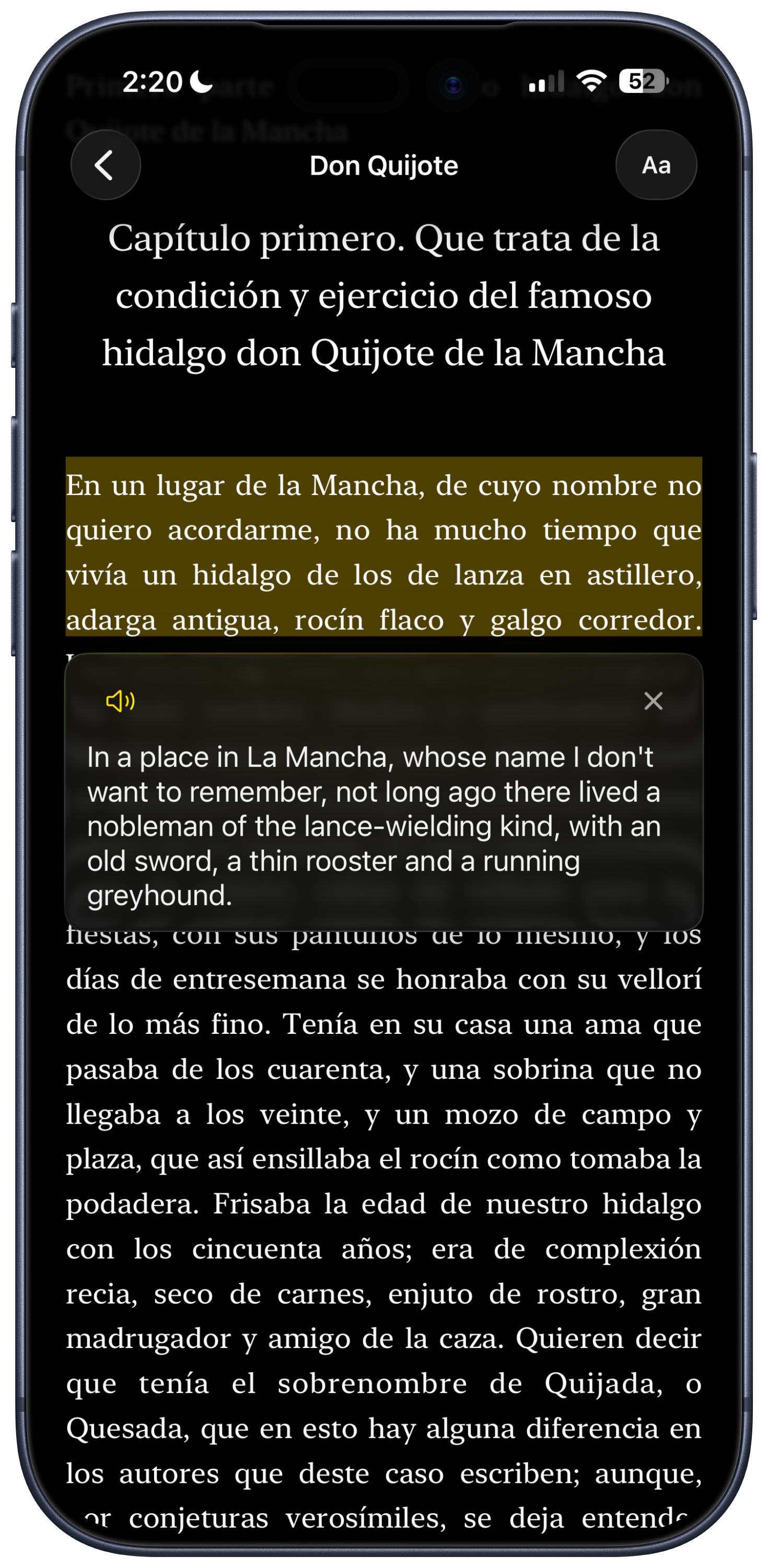
Lantern is a free, quiet iPhone app for learning languages by reading. Bring your own books. Tap any word, or any sentence, for a translation. Nothing else asks for your attention.
Free · On-device · No accounts · No tracking · No ads · No data collection
Reading is how a language actually settles into a person. You meet a word in context, then again, then again — and one day, you simply know it.
Lantern is built to keep you in that loop. A translation, when you ask. A voice, when you need to hear it. Everything else stays out of the way.
And sometimes you need to hear it — the shape of a word in the mouth, the place a sentence falls.
Look up a word or sentence and tap the speaker button on the translation — Lantern reads it back using the voices your iPhone already carries. Apple’s on-device voice models, available across every language Lantern supports. Nothing leaves the page.
Four movements,
and you are reading.
Open a book
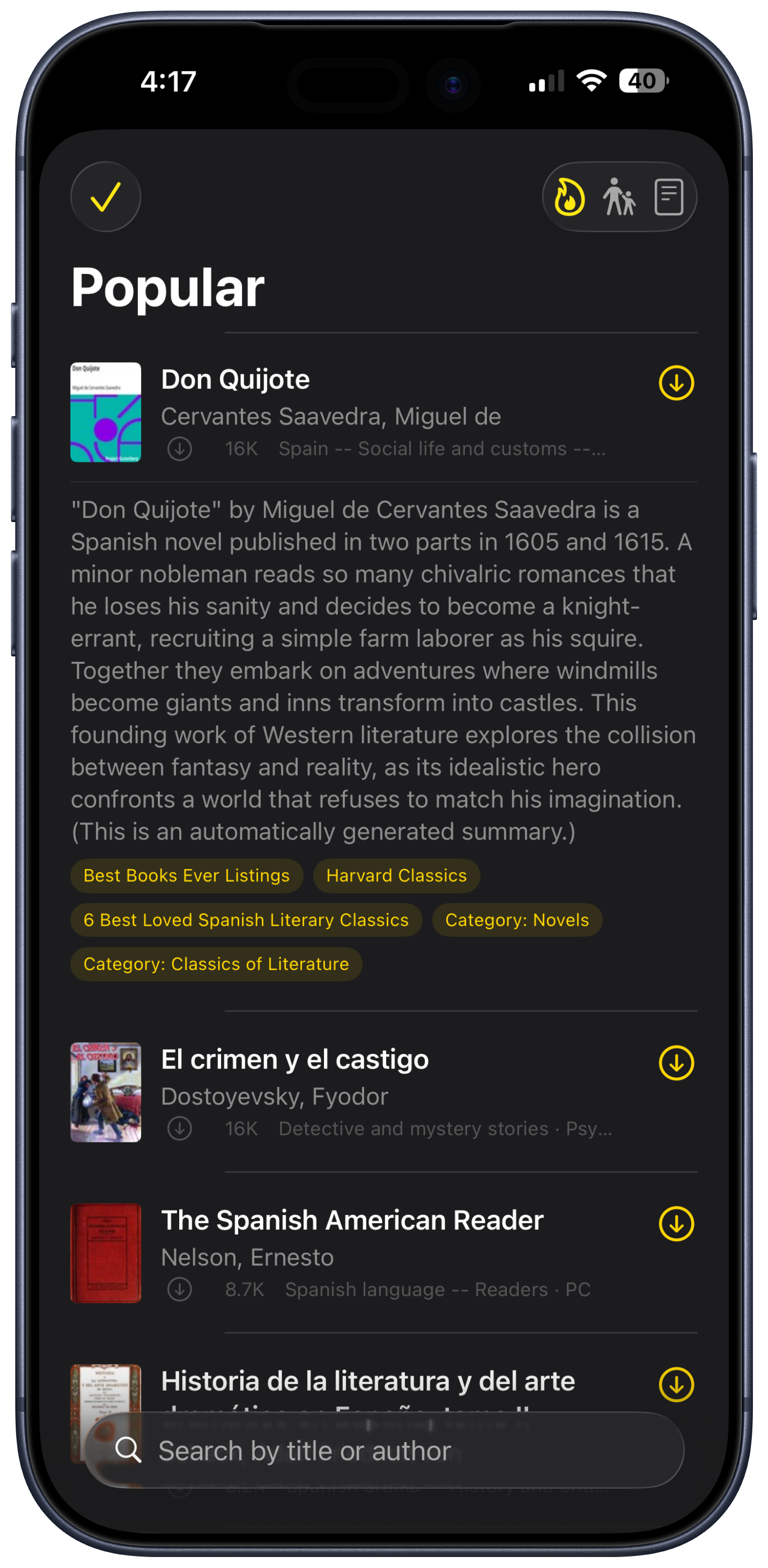
Browse Project Gutenberg right inside Lantern, or bring your own EPUB — anything you actually want to read. DRM-protected books need to be unlocked first with a tool like Calibre.
Read at your pace
Lantern stays out of the way. No streaks, no quizzes, no notifications begging for your attention.
Tap for meaning
Tap a word for a definition. Double-tap a sentence for a fluent translation rendered just below the line.
Build intuition
The more you read, the less you look up. There is no quiz at the end — the reading is the lesson.
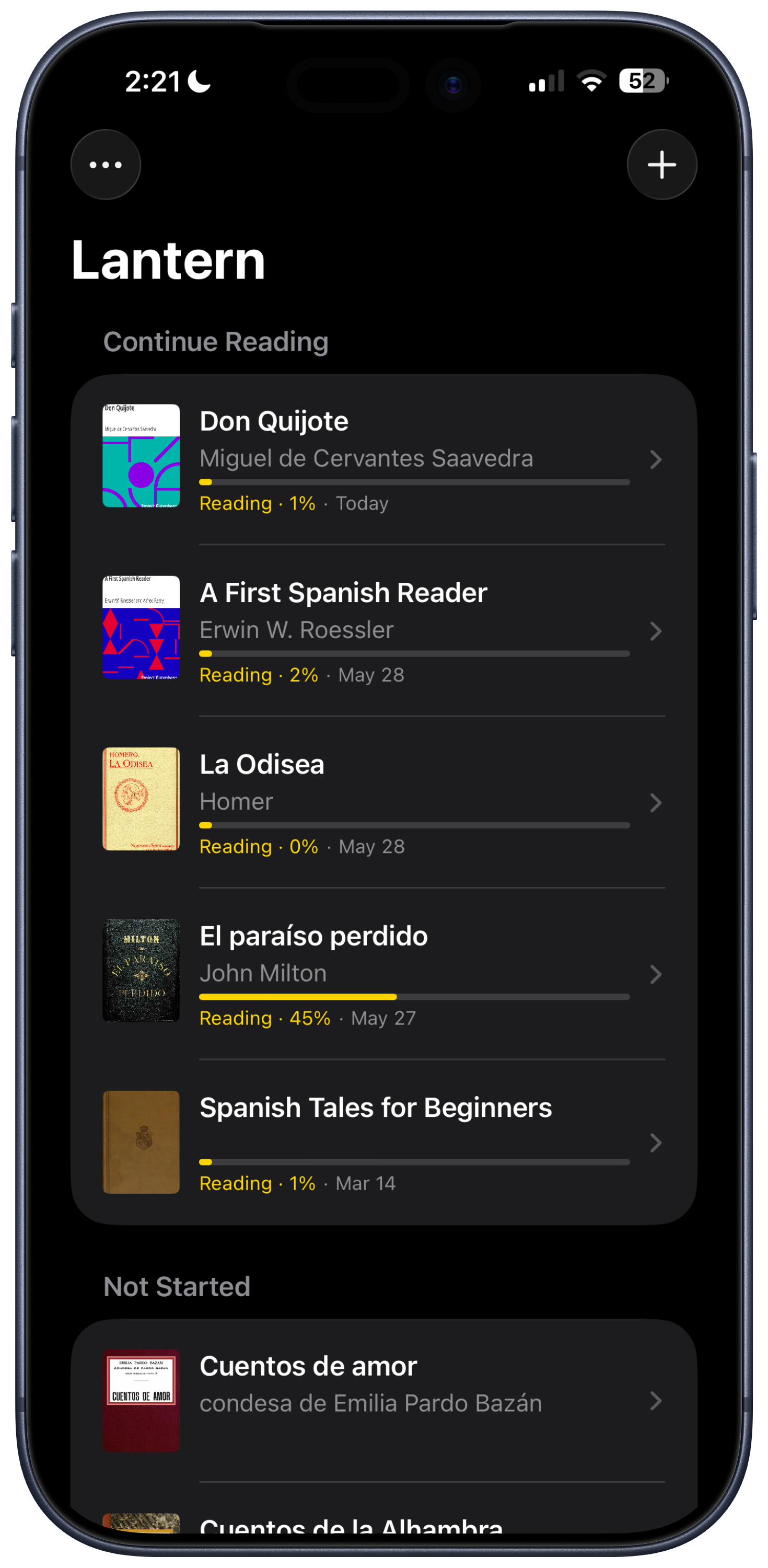
Browse Gutenberg or bring your own EPUBs. Your library, your call.
Translations are contextual — they read like a person rendered them.
Find something worth reading, then bring it straight into your library.
Translations are contextual — they read like a person rendered them.
Browse Gutenberg or bring your own EPUBs. Your library, your call.
Find something worth reading, then bring it straight into your library.
Nineteen
languages.
Translation and pronunciation both run on-device using Apple’s built-in frameworks — nothing you read ever leaves your phone. The Lantern interface is localised in every one of these languages too, so reading German in German feels right from the first tap, and hearing it spoken does too.
I built Lantern because the apps I tried felt like they were learning me, not the other way around. Streaks, badges, push notifications, accounts to make — it added up to a lot of friction between me and the words on the page.
I wanted something simpler: a beautiful place to read, with a translation a tap away. Nothing watching, nothing nagging. Just you, the book, and a small light to read by.
Questions, briefly.
Light a
lantern.
Lantern is live on the App Store. Free, on-device, and ready to read.
Download on the App Store